AI Agent Memory Across Sessions (Agents 101, Part 3)
Part 3 of AI Agents 101: the three memory patterns every agent builder needs - in-context, external file, and vector database - in Python.
Join AI Builder Club for courses, community, and weekly workshops.
30-day money-back guarantee. $37/mo.
Course outline · Build AI Agents (1.5)
The Problem Every Agent Builder Hits
You build an agent. It works. You close the terminal and open a new session. The agent has no idea what it did before. Decisions you made together. Context you spent twenty minutes explaining. Gone.
This is the most common frustration in agent development, and it's completely solvable - once you understand that there are three different memory patterns, and that each one is the right answer in different circumstances.
This is Part 3 of the AI Agents 101 series. In Part 1, we built the core agent loop. In Part 2, we gave agents real tools. Now we give them memory.
By the end of this article, you'll have working Python code for all three memory patterns, and a decision framework for picking the right one.
Why Agents Forget: The Stateless LLM
Every call to an LLM API is stateless. Claude doesn't remember your previous session. GPT-4o doesn't know you've been working on the same codebase for a week. Each API call is a blank slate.
This isn't a bug - it's a design decision. Stateless APIs are predictable, safe, and scalable. But it means that memory is your job, not the model's.
The loop from Part 1 accumulates context within a session by appending messages to a list. The moment that list disappears, so does everything in it.
So memory = what you persist between sessions.
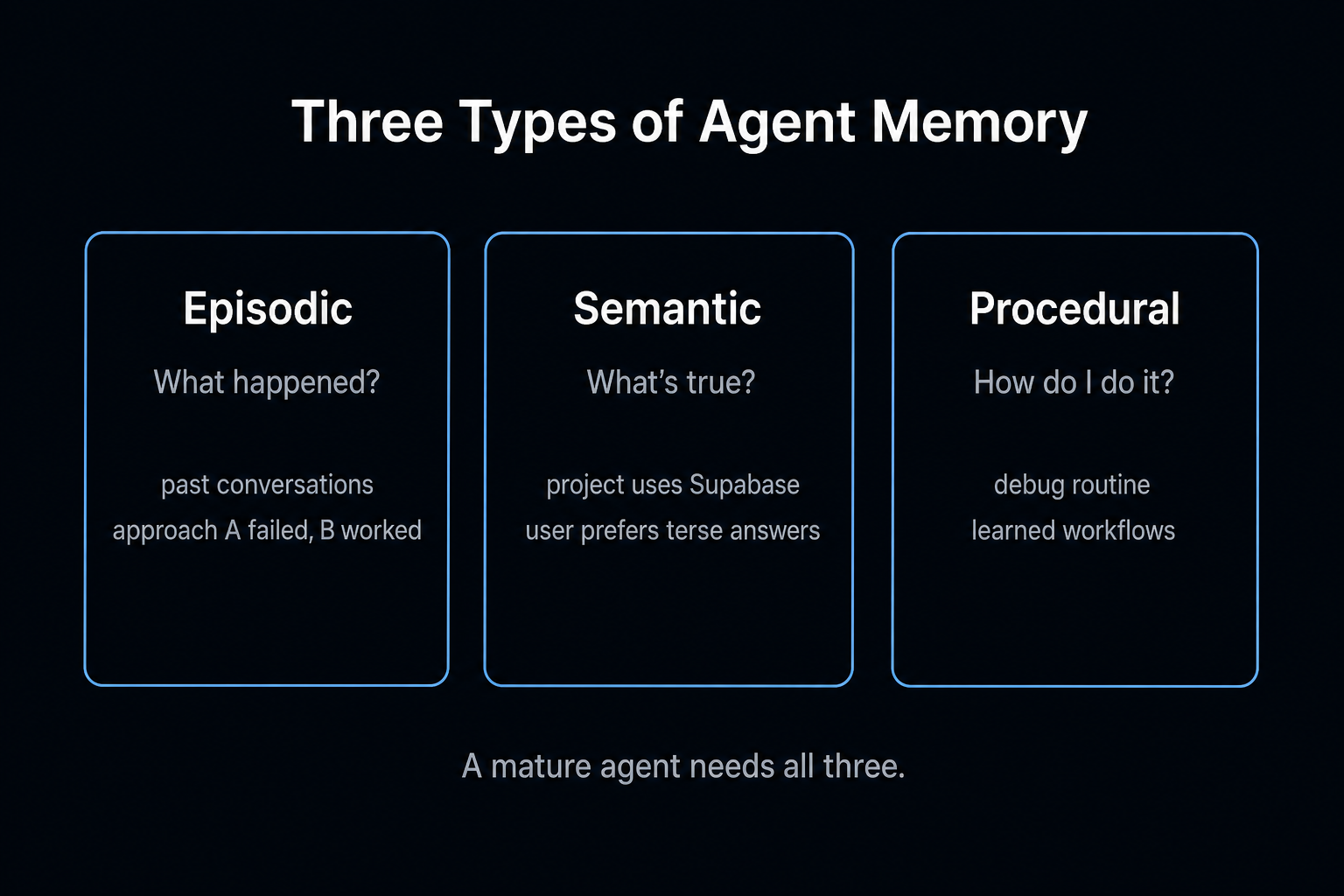
The Three Memory Patterns
There are exactly three ways to give an agent persistence:
| Pattern | Storage | Best for | Retrieval |
|---|---|---|---|
| In-context | RAM (message list) | Short sessions, simple tasks | Automatic - it's all in the prompt |
| External file | Disk (JSON, Markdown) | Project context, preferences, decisions | Direct read at session start |
| Vector database | Embedding index | Large knowledge bases, semantic search | Query by similarity |
Let's build each one.
Pattern 1: In-Context Memory
You already have this from Part 1. The message list is your in-context memory. Everything appended to it is visible to the LLM on the next call.
messages = [
    {"role": "user", "content": "My project uses FastAPI with PostgreSQL."},
    {"role": "assistant", "content": "Got it. FastAPI + Postgres. I'll keep that in mind."},
    {"role": "user", "content": "Add an authentication endpoint."},
]
The model "remembers" the FastAPI/Postgres context because it's in the same message list. This is in-context memory.
When it works: Short, focused sessions. Single-task agents. Agents with a well-defined scope.
When it breaks: Context windows have limits (Claude Sonnet: 200k tokens, roughly 150k words). If your session exceeds the window, the oldest messages drop off. For long-running projects, you'll lose critical context.
The other problem: When the session ends, the list is gone. Next session starts from scratch.
In-context memory is your starting point - but it's not a persistence strategy.
Pattern 2: External File Memory
The fastest upgrade from in-context memory. Before each session starts, read one or more files and inject their content into the system prompt. At the end of a session (or when the agent learns something important), write updates back to those files.
2a: The CLAUDE.md Pattern
If you use Claude Code, you've seen this. A CLAUDE.md file in your project root that Claude reads at the start of every session. It contains project context, decisions, preferences, and rules.
You can implement the same pattern for your own agents:
import os

MEMORY_FILE = "agent_memory.md"

def load_memory() -> str:
    """Load persistent memory from file."""
    if not os.path.exists(MEMORY_FILE):
        return "No prior memory. This is a fresh session."
    with open(MEMORY_FILE, "r") as f:
        return f.read()

def save_memory(content: str) -> None:
    """Overwrite persistent memory file."""
    with open(MEMORY_FILE, "w") as f:
        f.write(content)
Now modify your agent to inject memory into the system prompt:
from anthropic import Anthropic

client = Anthropic()

def run_agent_with_memory(goal: str, max_steps: int = 10) -> str:
    memory = load_memory()
    system_prompt = f"""You are a helpful coding assistant working on a long-running project.

## What You Remember From Previous Sessions
{memory}

## Instructions
- If you learn anything important during this session (new decisions, preferences, architecture choices),
  include a MEMORY UPDATE section at the end of your final response.
- Format it as: MEMORY UPDATE: [the new fact to remember]
"""

    messages = [{"role": "user", "content": goal}]

    for step in range(max_steps):
        response = client.messages.create(
            model="claude-sonnet-4-5",
            max_tokens=4096,
            system=system_prompt,
            messages=messages
        )

        final_text = ""
        for block in response.content:
            if hasattr(block, "text"):
                final_text = block.text

        if response.stop_reason == "end_turn":
            if "MEMORY UPDATE:" in final_text:
                lines = final_text.split("\n")
                updates = [l.replace("MEMORY UPDATE:", "").strip()
                          for l in lines if "MEMORY UPDATE:" in l]
                existing = load_memory()
                updated = existing + "\n" + "\n".join(updates)
                save_memory(updated)
                print(f"[Memory updated with {len(updates)} new fact(s)]")

            return final_text

        messages.append({"role": "assistant", "content": response.content})

    return "Max steps reached."
Free AI Builder Newsletter
Weekly guides on AI tools & builder strategies.
2b: Structured JSON Memory
import json

MEMORY_FILE = "agent_memory.json"

def load_memory() -> dict:
    if not os.path.exists(MEMORY_FILE):
        return {
            "project": {},
            "decisions": [],
            "preferences": {},
            "last_session": None
        }
    with open(MEMORY_FILE, "r") as f:
        return json.load(f)

def save_memory(memory: dict) -> None:
    with open(MEMORY_FILE, "w") as f:
        json.dump(memory, f, indent=2)

def add_decision(memory: dict, decision: str, reason: str) -> dict:
    memory["decisions"].append({
        "decision": decision,
        "reason": reason,
        "recorded_at": __import__("datetime").datetime.now().isoformat()
    })
    return memory
When to use structured JSON vs. Markdown:
- Markdown: freeform notes, prose-heavy context, when the agent needs to write updates in natural language
- JSON: specific facts, decisions, preferences - anything you'll programmatically read or update
When external file memory breaks down: When the number of facts grows into the hundreds or thousands. At that point, injecting all of them into the prompt is wasteful. That's when you move to Pattern 3.
Pattern 3: Vector Database Memory
A vector database stores your facts as embeddings - numerical representations of their meaning. When your agent needs to remember something, it queries the database with a natural language question and gets back the most relevant facts, not all of them.
Setup
pip install chromadb anthropic
ChromaDB is the easiest local vector database to get started with. For production, consider pgvector (if you're already on PostgreSQL) or Pinecone (managed).
Building a Memory Store
import chromadb
from anthropic import Anthropic

chroma_client = chromadb.PersistentClient(path="./agent_memory_db")
memory_collection = chroma_client.get_or_create_collection(name="agent_memory")
anthropic_client = Anthropic()

def add_memory(fact: str, metadata: dict = None) -> str:
    import hashlib, datetime
    memory_id = hashlib.md5(fact.encode()).hexdigest()[:8]
    memory_collection.add(
        documents=[fact],
        ids=[memory_id],
        metadatas=[{
            "recorded_at": datetime.datetime.now().isoformat(),
            **(metadata or {})
        }]
    )
    return memory_id

def query_memory(query: str, n_results: int = 5) -> list[str]:
    results = memory_collection.query(
        query_texts=[query],
        n_results=n_results
    )
    if results and results["documents"]:
        return results["documents"][0]
    return []
Using Vector Memory in Your Agent
def run_agent_with_vector_memory(goal: str, max_steps: int = 10) -> str:
    relevant_memories = query_memory(goal, n_results=5)

    memory_context = ""
    if relevant_memories:
        memory_context = "## Relevant Context From Previous Sessions\n"
        memory_context += "\n".join(f"- {m}" for m in relevant_memories)

    system_prompt = f"""You are a helpful coding assistant.

{memory_context}

If you learn something important during this session, end your response with:
REMEMBER: [the fact to store]
"""

    messages = [{"role": "user", "content": goal}]

    for step in range(max_steps):
        response = anthropic_client.messages.create(
            model="claude-sonnet-4-5",
            max_tokens=4096,
            system=system_prompt,
            messages=messages
        )

        final_text = ""
        for block in response.content:
            if hasattr(block, "text"):
                final_text = block.text

        if response.stop_reason == "end_turn":
            if "REMEMBER:" in final_text:
                lines = final_text.split("\n")
                for line in lines:
                    if line.startswith("REMEMBER:"):
                        fact = line.replace("REMEMBER:", "").strip()
                        add_memory(fact, metadata={"source": "agent_session", "goal": goal})
                        print(f"[Stored: {fact}]")

            return final_text

        messages.append({"role": "assistant", "content": response.content})

    return "Max steps reached."
Choosing the Right Pattern
Use in-context memory when:
- The task fits in a single session
- You're prototyping and don't need persistence yet
Use external file memory when:
- You want the simplest possible persistence
- The total context is under ~50k tokens
- You need human-readable memory files for debugging
Use vector database memory when:
- You have hundreds or thousands of facts to store
- You need semantic search ("find decisions about auth")
- You're building a multi-project or multi-user system
The practical path for most builders: Start with in-context. When you need persistence, add external file memory. When files get too large, add ChromaDB. Don't start with a vector database - you're solving a problem you don't have yet.
Common Mistakes to Avoid
Storing everything. Not every fact is worth remembering. "The user asked me to list files" is not a memory. "The project uses FastAPI" is. Only store decisions, preferences, and architectural choices.
Not versioning your memory files. Memory files change over time. Add simple backups:
import shutil, datetime

def backup_memory(filepath: str) -> None:
    if os.path.exists(filepath):
        timestamp = datetime.datetime.now().strftime("%Y%m%d_%H%M%S")
        shutil.copy(filepath, f"{filepath}.{timestamp}.bak")
Over-engineering from the start. External file memory handles 95% of real use cases. Start simple.
Trusting old memories blindly. Memory can go stale. Add timestamps to all memory entries and build logic to flag old facts.
The Memory Landscape in 2026: What's Changed
The three patterns above are still the right mental model. But the tools around them have matured significantly:
Mem0 is the leading dedicated memory layer. With 56K+ GitHub stars, Mem0 sits on top of your vector database and handles the hard parts automatically - fact extraction, deduplication, conflict resolution, and user-scoped retrieval. It supports 19+ vector store backends (Qdrant, ChromaDB, Pinecone, pgvector, etc.) as a drop-in configuration change. The key insight: Mem0 is not a replacement for ChromaDB or Pinecone. It's the intelligence layer that decides what goes in and keeps it clean.
The distinction between "vector database" and "memory layer" matters. ChromaDB gives you semantic search over embeddings. Mem0 gives you user-aware, time-aware, deduplicated memory management. A vector database answers "what text is similar to this query?" A memory layer answers "what does this specific user need to know right now?" Production agents need both - the vector DB for document retrieval (RAG), the memory layer for personalization.
agentmemory brings production memory to coding agents. If you're using Claude Code, check out agentmemory - it implements a 4-tier consolidation pipeline (working memory, short-term, long-term, archival) that mirrors the patterns in this article, with 95.2% recall at ~$10/year. It's MCP-native, so it plugs into Claude Code with a single config line.
Qdrant has replaced ChromaDB as the production recommendation. ChromaDB is still perfect for local development and prototyping (sub-20ms, file-based, zero setup). For production, Qdrant offers hybrid search (dense + sparse vectors), horizontal scaling, and sub-10ms latency. If you're already on PostgreSQL, pgvector keeps everything in one database.
Practical upgrade path:
- Start with external file memory (Pattern 2 above) - it handles 95% of cases
- When files get large, add ChromaDB locally for semantic search
- When you need user-scoped or multi-agent memory, add Mem0 on top of ChromaDB
- When you hit production scale, swap ChromaDB for Qdrant or pgvector (one config change if using Mem0)
What You Have Now
After Parts 1, 2, and 3, your agent has:
- A decision loop with tool execution (Parts 1 and 2)
- In-context memory for the current session (Part 1)
- External file memory for cross-session persistence (Part 3)
- Vector database memory for semantic retrieval at scale (Part 3)
Continue the series:
- Part 4: Multi-Agent Systems - pipeline, supervisor/worker, and fan-out orchestration patterns
- Part 5: Deploying to Production - Docker, VPS, logging, health checks, and cost controls
Related guides:
- agentmemory: Production Memory for AI Coding Agents - the 4-tier memory system for Claude Code with 95.2% recall
- MCP 101: Build MCP Servers - connect your agent to any API through the standard protocol
Go deeper with our courses:
- AI Agent 101 Course - build and deploy research agents with tool use, web scraping, and deep search
- MCP 101 Course - build and deploy MCPs with fastMCP, Cloudflare, auth, and Stripe
If you're building agents and want to work through these problems alongside a community of other builders - join AI Builder Club.
Frequently Asked Questions
What is the best way to give an AI agent memory?
Start with external file memory - a markdown or JSON file the agent reads at session start and writes to when it learns something important. This handles 95% of use cases. Add a vector database (ChromaDB for dev, Qdrant for production) when you have hundreds of facts that need semantic search. Add Mem0 when you need user-scoped, deduplicated memory management at scale.
What is the difference between a vector database and a memory layer like Mem0?
A vector database (ChromaDB, Qdrant, Pinecone) stores embeddings and returns semantically similar results. It has no concept of users, sessions, or time. A memory layer like Mem0 sits on top of a vector database and adds fact extraction, deduplication, user scoping, and temporal awareness. Production agents typically need both - the vector DB for document retrieval, the memory layer for personalization.
Do AI agents need a vector database?
Not always. A simple markdown file (like Claude Code's CLAUDE.md pattern) works for single-user projects with under ~50K tokens of context. Vector databases become valuable when you have hundreds or thousands of facts, need semantic search ("find decisions about auth"), or are building multi-user systems. Start without one and add it when files get too large.
What is ChromaDB and is it good for production?
ChromaDB is an open-source vector database that runs locally with zero setup. It is excellent for development and prototyping (sub-20ms latency, file-based storage). For production, Qdrant (hybrid search, horizontal scaling, sub-10ms) or pgvector (if you already use PostgreSQL) are better choices. If using Mem0, swapping backends is a single config change.
Sources & Verification
This guide is written from hands-on testing, then cross-checked against primary sources - official documentation and first-party announcements. Field results and opinions are labeled as such. See our editorial standards.
Join AI Builder Club


$37/mo
Get the free newsletter
Weekly deep-dives on AI tools, automation workflows, and builder strategies. Join 5,000+ readers.
No spam. Unsubscribe anytime.