Claude Code Worktrees: File Isolation for Parallel Agents
Give every agent its own working directory with git worktrees - no write conflicts. The --worktree flag, .worktreeinclude config, and when to skip it.
Course outline · Claude Code Fundamentals (2.7)
Two agents, one package.json, zero survivors. Run parallel Claude Code agents in the same directory long enough and you will watch one agent's half-written file get clobbered by another's, or an npm install from Agent A break Agent B's running build. Messaging between agents doesn't fix this. Physical separation does.
That's what worktrees do: every agent gets its own complete working directory, backed by the same git repo. Work in parallel, merge at the end, let git referee the conflicts. Here's how Claude Code wraps it and when the overhead pays off.
Git Worktree in 60 Seconds
Worktree is a native git feature, older than AI agents and underused by humans. Normally one repo = one working directory, and that directory can sit on exactly one branch at a time. Mid-feature and need to hotfix main? Stash, switch, fix, switch back. Annoying.
git worktree breaks the limit: spin up additional working directories from the same repo, each on its own branch. Shared .git history, independent files. A house with one bookshelf and several desks - every desk holds a different draft.
Three properties matter for agents:
- Each worktree has its own physical files
- All worktrees share one git history
- Different worktrees can sit on different branches simultaneously
Why Agents Need This More Than You Do
A human does one thing at a time; one directory is fine. Parallel agents shred that assumption in three specific ways:
| Failure | What happens |
|---|---|
| Write conflicts | Two agents write the same file. Last writer wins, or the file ends up interleaved garbage |
| Dirty reads | Agent B reads a file Agent A has half-written. Every downstream decision builds on a broken premise |
| Environment pollution | Agent A installs a package or edits config. Agent B's build explodes for reasons it can't see |
Human teams solve this with conventions and chat. Agents execute too fast for that - the gap between "decides to write" and "wrote" is milliseconds. You cannot coordinate at that speed. You can only isolate.
How Claude Code Wraps It
Start a session with the flag:
claude --worktree
Claude Code then:
- Creates a fresh git worktree from your repo
- Points the session's file operations at that directory
- Runs the whole session inside the isolated copy
- On exit, handles merge or cleanup
You work normally. The only difference is where edits land - a private copy instead of your main checkout.
With SubAgents: sub-agents already get context isolation (own message history, scoped tools, summary-only returns). Worktrees add the fourth wall: file isolation. Let a sub-agent attempt a risky refactor in a worktree; if it faceplants, delete the worktree. Your main directory never knew anything happened. Cheapest undo button in the business.
With Agent Teams: each teammate gets its own worktree. Even when backend and frontend agents both touch package.json, they edit private copies. Git merges at the end - and merge conflicts at integration time are reviewable; runtime overwrites are just lost work.
Configuration
Lives under .claude/:
baseRef - where a new worktree starts from:
"fresh": latest remote main. For independent tasks."head": your current local commit. For building on uncommitted work in progress.
.worktreeinclude - the gotcha file.
TIP
Worktrees only copy git-tracked files. Everything gitignored - .env, node_modules, local Supabase config - is missing in the new worktree by default. The agent starts, can't find env vars, and fails confusingly. If a worktree agent errors on startup, check this first.
List what must travel:
# .worktreeinclude
.env
.env.local
supabase/.temp
(node_modules is usually better reinstalled than copied - let the agent run the install.)
Lifecycle hooks - WorktreeCreate and WorktreeRemove events fire on creation/deletion. Wire hooks to auto-run npm install or seed a local database whenever a worktree spins up.
What It Solves, What It Doesn't
Solved:
- Write conflicts - physically impossible across worktrees
- Environment pollution - each agent installs and configures privately
- Cheap rollback - bad experiment?
git worktree remove, done - Confidence to parallelize - tasks you'd serialize out of fear now run together
Not solved:
- Merge conflicts. Isolation defers conflict, doesn't delete it. Two agents rewriting the same function still collide at merge - but as a reviewable git conflict, not silent data loss.
- Semantic conflicts. Agent A changes a function's return type; Agent B writes callers against the old one. Files merge clean, runtime breaks. Only inter-agent communication catches this - it's why worktrees pair with Agent Teams messaging instead of replacing it.
- Disk. Every worktree is a near-full copy of working files (the
.gitdatabase is shared). A 2GB repo with five worktrees is 10GB+. Mind the laptop.
Cleanup
Claude Code manages the lifecycle so you don't accumulate orphans:
- Session ends with zero changes → worktree auto-deleted
- Session ends with changes → you choose: merge to main, keep as a branch, or discard
- Manual: list active worktrees, prune as needed
The Three-Layer Isolation Model
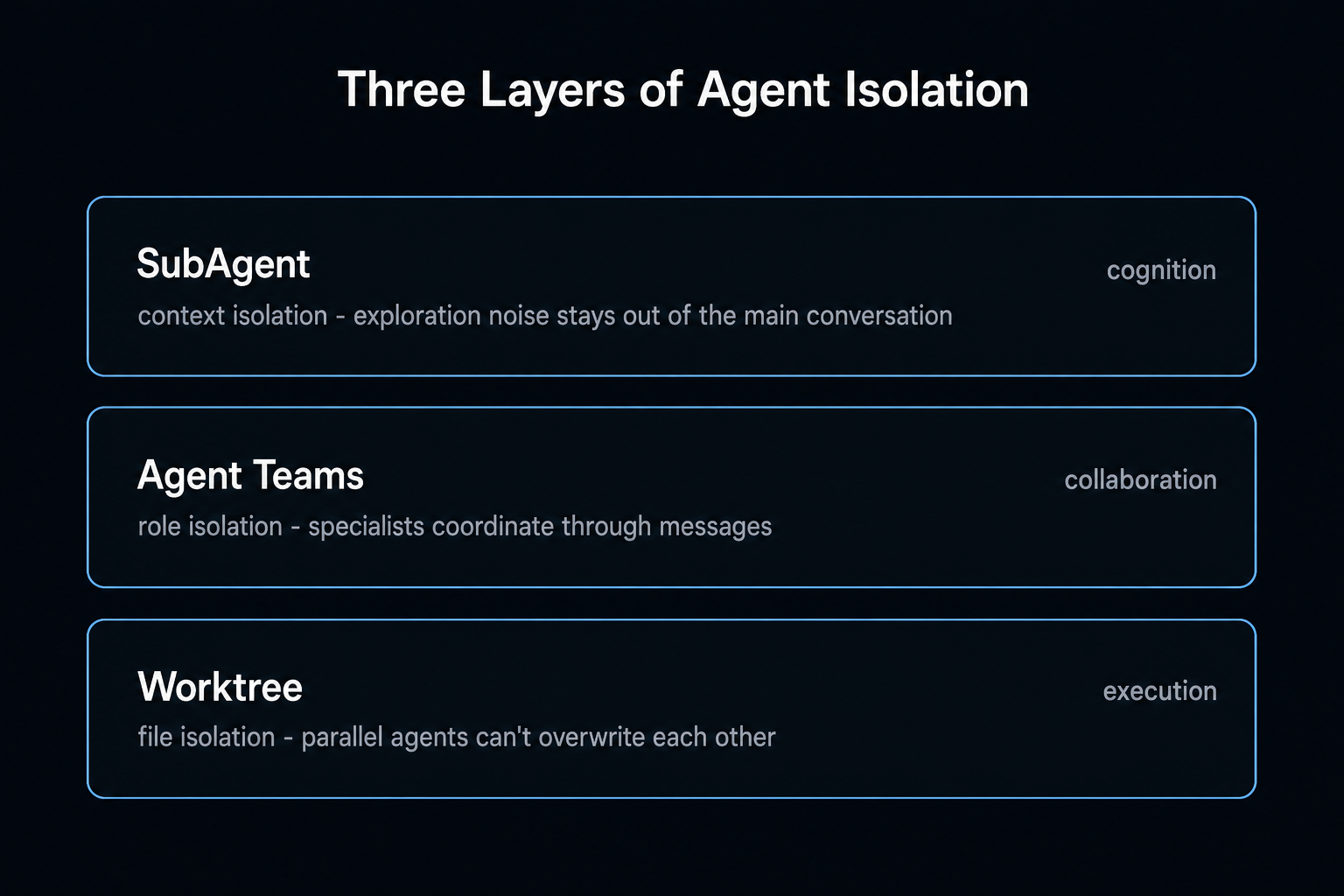
Worktrees complete a stack, each layer answering a different question:
| Layer | Isolates | Question it answers |
|---|---|---|
| SubAgent | Context | "How do I keep exploration noise out of the main conversation?" |
| Agent Teams | Roles | "How do specialized agents coordinate?" |
| Worktree | Files | "How do parallel agents not trash each other's work?" |
Compose them based on what the work needs:
- Agents only read code → SubAgents alone. No write risk, no worktree needed.
- Agents write, with clean file ownership → Agent Teams messaging covers it.
- Agents write, ownership unclear or overlapping → add worktrees and stop worrying.
When to Skip It
- One agent working - no conflict exists, pure overhead
- Read-only workloads (reviews, codebase Q&A)
- Multi-GB repos on small disks
- Sub-10-minute tasks - worktree create/merge overhead eats the win
Try It This Week
- Solo first:
claude --worktreeon a normal task with file edits. Feel the create → work → merge loop. - Risky refactor in a sandbox: point a sub-agent at your scariest "I've been meaning to restructure this" module, worktree on. Worst case costs one
git worktree remove. - Full team: three teammates, three worktrees, one real feature. The merge step at the end is where you'll learn the most.
- Tune: set
baseRef, fill.worktreeincludewith whatever the agent complained about missing.
The mental shift is the actual product here. Without worktrees, you ration parallelism because you fear collisions. With them, "don't touch each other's files" stops being your problem and becomes git's. You stop planning around conflicts and just let the agents run.
The codebase harness that wires up worktrees, sandboxes and test gates for parallel agents is open-source. /setup-codebase-harness does it in one command.
View on GitHub →Sources & Verification
This guide is written from hands-on testing, then cross-checked against primary sources - official documentation and first-party announcements. Field results and opinions are labeled as such. See our editorial standards.
- git-worktree (Git Reference) - Official Git docs for the worktree command used to isolate parallel agents
- Run agents in parallel (Claude Code Docs) - How Claude Code parallelizes work across subagents, teams, and worktrees
Join AI Builder Club


$37/mo
Get the free newsletter
Weekly deep-dives on AI tools, automation workflows, and builder strategies. Join 5,000+ readers.
No spam. Unsubscribe anytime.