Plan vs Default vs Auto Mode: Coding Agent Trust Levels
What each agent mode permits, Claude Code's Auto-mode safety classifier, and the gear-shifting workflow that beats picking one mode forever.
Course outline · Build AI Agents (4.1)
You typed "refactor this module" and before you finished your coffee, fourteen files had changed. That's the thrill and the terror of local agents in one sentence. Unlike a chatbot, Claude Code has hands - it reads, writes, and executes on your machine. Hands need a leash setting.
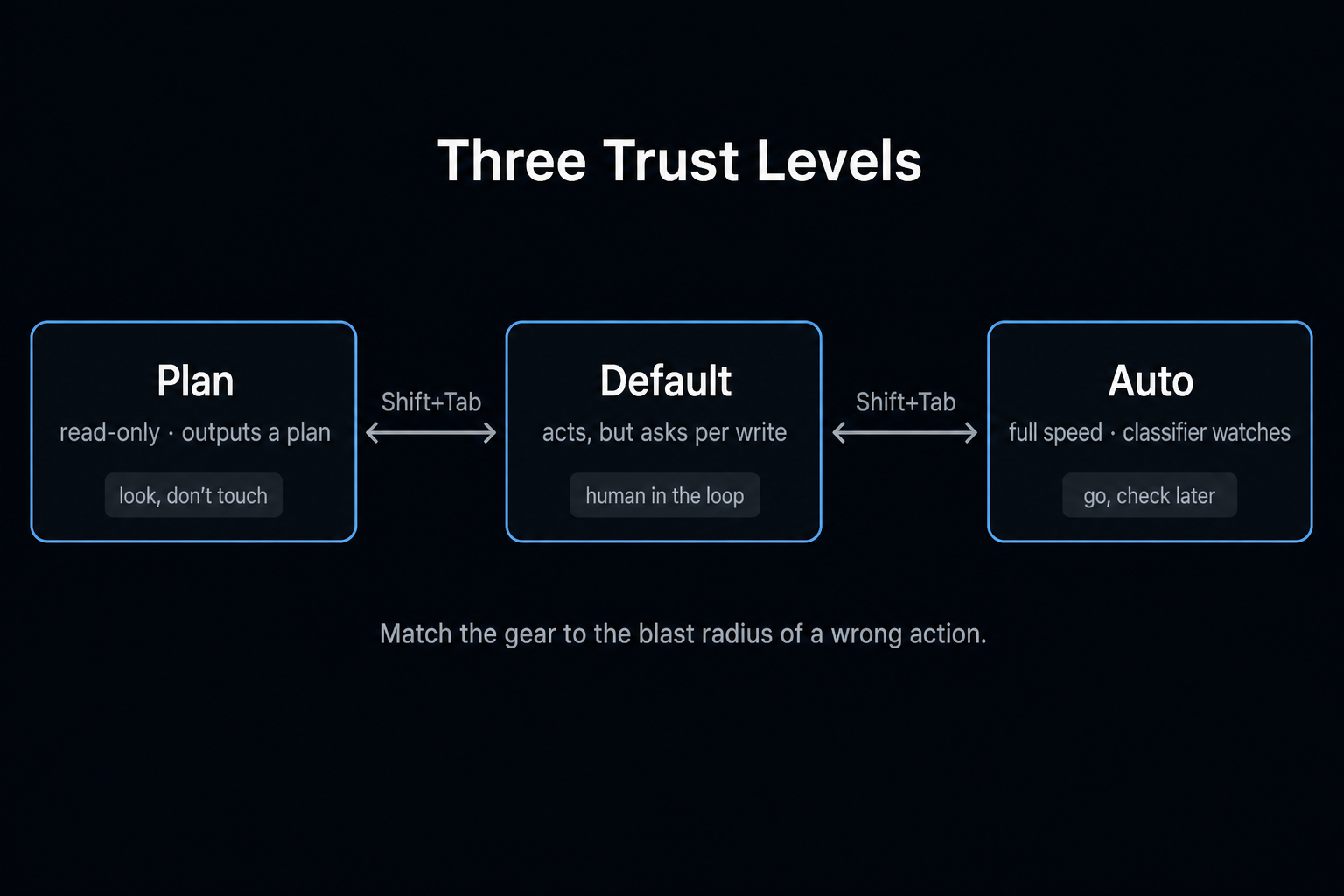
Every serious coding agent has converged on the same answer: three trust levels. The names differ across Claude Code, Codex CLI, and OpenCode, but the shape is identical - look but don't touch, act but ask, and go, I'll check later. Knowing when to use which (and when to switch) is a core skill now. Here's the map.
The Trade Nobody Escapes
More autonomy = more speed = more blast radius. Less autonomy = more safety = you spending your day clicking "approve."
The second failure mode is sneakier than the first. It even has a name: approval fatigue. When the agent asks permission for npm install, then git status, then reading a file, then another file - by request ten you've stopped reading the dialogs. A safety mechanism you've stopped reading isn't a safety mechanism; it's a ritual. Anthropic's own docs flag this: too many prompts trains users to approve blindly, which is worse than fewer, better-placed checks.
So the design question isn't "safe or fast?" It's "where do the checkpoints earn their interruption?" Three modes, three answers.
Mode 1: Plan - Look, Don't Touch
What it permits: reading files, searching, analyzing. What it blocks: every write, every command. Output is a plan - typically a markdown doc listing what would change and why.
In Claude Code: Shift+Tab. The agent runs a four-phase loop - understand the request (asking you questions where ambiguous), explore the codebase, design an approach, write the plan for your sign-off. OpenCode's version disables write/edit/bash outright, exempting only its plans directory. Codex CLI calls it Read Only.
Why bother, when you could just... let it code? For a one-line fix, you shouldn't. For anything structural, three reasons:
- Misalignment is cheapest before code exists. Reviewing a plan takes two minutes. Reverting fourteen files of confidently wrong refactor does not.
- Token economics. Failed attempts burn context and retries. A confirmed plan front-loads the thinking and cuts the rework loop.
- Plans are reviewable by humans who'd never read the diff. Send a teammate the markdown, get a "looks right, but watch the auth middleware" back. Try that with a 600-line diff.
Worth knowing: Flask creator Armin Ronacher dissected Plan mode and found it's essentially a strong predefined prompt plus tool restrictions - something you could half-replicate yourself. The UI affordances (plan confirmation, one-key handoff to execution) are the product. The lesson isn't "Plan mode is fake"; it's that planning-before-acting is a prompting pattern with first-class support.
Reach for it when: unfamiliar codebase, blast radius > 3 files, the task is "I'm not sure what I want yet," or the plan itself is a deliverable.
Mode 2: Default - Act, But Ask
The factory setting everywhere, and where most real work happens. Reads are free; writes and commands pause for your approval. You see each proposed diff, you click yes or no, the agent continues.
This is human-in-the-loop with sensible granularity: you're not writing the code, but you retain veto power over every mutation. The rhythm - propose → review → approve → next - keeps you genuinely informed of what's changing, not nominally informed like a fine-print EULA.
OpenCode pushes granularity furthest with per-tool permission rules:
{ "permission": { "bash": { "git status*": "allow", "rm *": "deny", "*": "ask" } } }
Read-only commands sail through, destructive ones are dead on arrival, everything else asks. Ten minutes configuring this buys back hundreds of pointless approval clicks while keeping the dangerous ones loud. This is the single best antidote to approval fatigue that doesn't involve surrendering control.
Reach for it when: daily feature work, bug fixes, anything touching production-adjacent code, or any tool/codebase relationship still young enough that trust is being earned.
Mode 3: Auto - Go, I'll Check Later
Approvals off (or nearly). The agent reads, writes, runs, tests, iterates - you review the result, not the steps. Community name: YOLO mode. The flag name in Claude Code is more honest: --dangerously-skip-permissions.
Here's where the three tools genuinely diverge:
Codex CLI Full Access is the pure version - prompts gone, agent free. OpenAI's guidance is blunt: containers, sandboxes, and throwaway branches only.
OpenCode reaches Auto by setting global permissions to allow - but the per-tool rules still apply, so "everything allowed except rm and force-push" is expressible. Auto with a floor.
Claude Code's Auto mode is the interesting one: an AI classifier reviews every action before it runs. Safe operations pass silently; risky ones - curl | bash, posting secrets outward, force-pushing main - get intercepted. Your conversational instructions become enforced boundaries ("don't push anything" → classifier blocks all pushes). And it self-demotes: 3 consecutive blocks or 20 cumulative, and the session drops back to manual approval. A safety system that notices when it's working too hard and calls the human.
That classifier shifts the calculus. Old Auto was "trust the model completely." Claude Code's Auto is "trust the model, with a second model watching" - plus protected paths (.git, .env stay approval-gated) as a hard floor. Still labeled research preview; still not a substitute for running risky work in a worktree or sandbox. But it makes long unattended runs defensible rather than reckless.
Reach for it when: long mechanical tasks (migrations, bulk refactors), isolated environments, experimental branches where git branch -D is the undo button, or agent team runs where per-step approval would defeat the point.
The Real Skill: Shifting Gears
The modes aren't personality types to pick from - they're gears in one workflow:
- Plan the refactor; read the markdown; correct course
- Auto through the well-understood 80% - scaffolding, mechanical edits, test generation
- Drop to Default for the auth module, the payment path, the migration - anywhere a wrong write is expensive
git diffthe whole thing before merge, because no mode replaces review
One keystroke moves between them (Shift+Tab in Claude Code, Tab in OpenCode). Mid-task downshifts are normal driving, not failure.
Quick reference:
| Situation | Gear |
|---|---|
| New codebase, big change | Plan first |
| Normal feature work | Default |
| Sensitive paths (auth, payments, infra) | Default, rules tightened |
| Bulk mechanical work | Auto |
| Unattended / overnight / agent teams | Auto + isolation |
| Demo in 20 minutes | Auto, and prayer |
Underneath the keybindings, the three modes are one question wearing three answers: how expensive is a wrong action right now? Plan says "unaffordable - think first." Default says "recoverable - but show me." Auto says "cheap - go." Read the blast radius, shift accordingly, and let the gears do what gears are for.
The skills and CLAUDE.md rules I run across these modes are open-source. Install the plugin and drop them into your own repo.
View on GitHub →Sources & Verification
This guide is written from hands-on testing, then cross-checked against primary sources - official documentation and first-party announcements. Field results and opinions are labeled as such. See our editorial standards.
Join AI Builder Club


$37/mo
Get the free newsletter
Weekly deep-dives on AI tools, automation workflows, and builder strategies. Join 5,000+ readers.
No spam. Unsubscribe anytime.
Continue Learning
Claude Code 101
You've read the theory. The course is where you ship: 3 guided Labs (live website, full-stack app with payments, business automation) plus the Template Vault starter kit. Rebuilt June 2026.
Mastering AI Agents
The builder's deep dive into agent loops, tools, context engineering & memory. Go from using AI to building it.
AI Agent 101
Build autonomous research agents with tool use, API access, web scraping, and deep search.